Job Auto-Applier

Our Chrome extension auto-fills and submits applications across every major job board — auto-apply to dozens of jobs in a fraction of the time.

Download forChrome

Apply Faster, Apply Smarter

Automate your job applications with our powerful Chrome extension

Apply Now

One-Click Apply

Apply to jobs instantly with a single click. No more repetitive form filling.

Full Name
Email
Phone
Experience

Smart Auto-Fill

AI-powered form detection automatically fills your information with 95%+ accuracy

Senior Software Engineer
Stripe
Offer
Staff Engineer
Vercel
Interview
Backend Engineer
Linear
Applied
Full Stack Developer
Notion
Applied

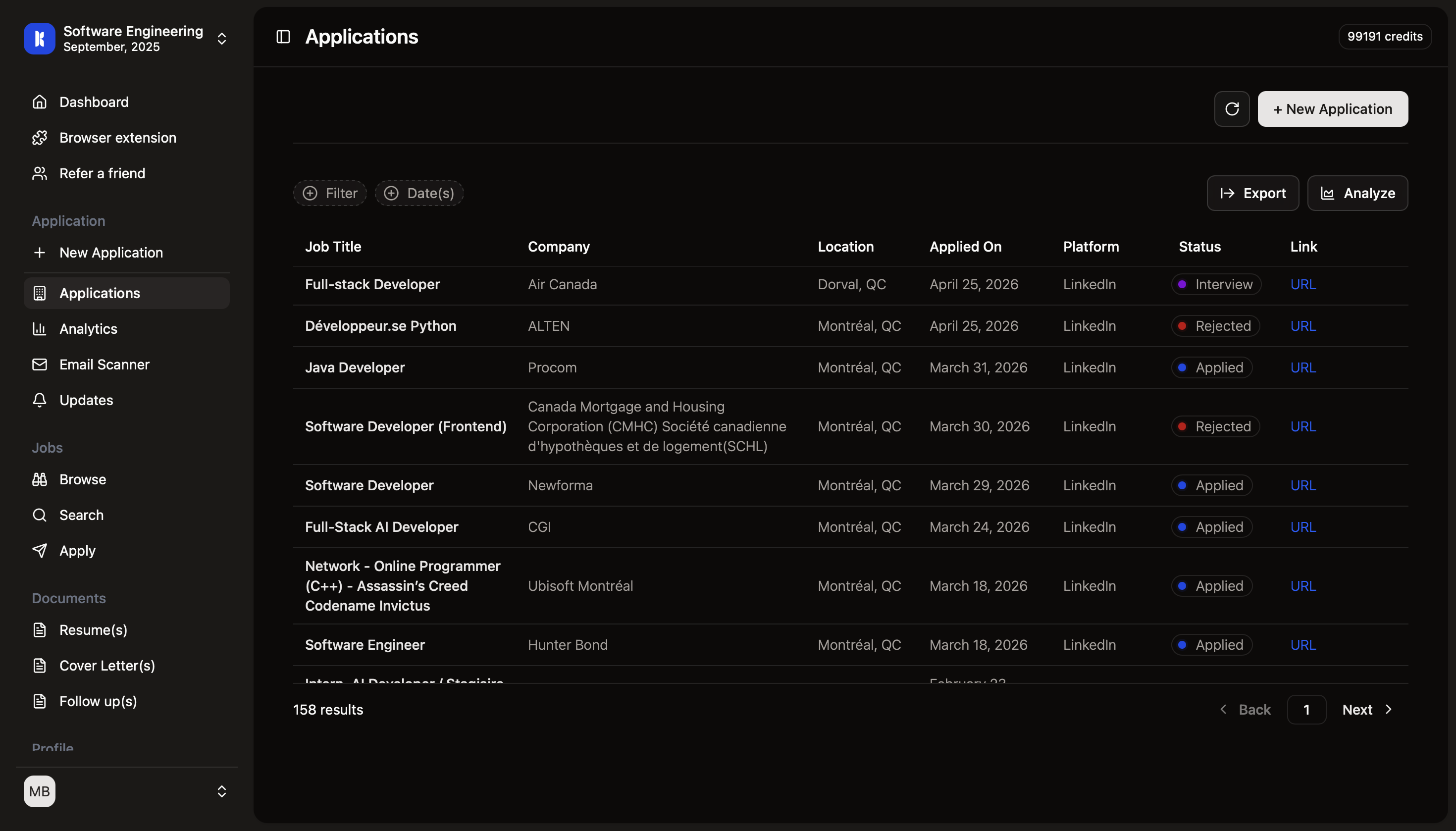
Auto-Track Applications

Every application automatically syncs to your dashboard for seamless tracking

Platform 1
Platform 2
Platform 3
Platform 4

Multi-Platform Support

Works seamlessly across LinkedIn, Indeed, Glassdoor, ZipRecruiter, and 100+ sites

Powerful Extension Features

Everything you need to streamline your job application process

Senior Software Engineer at Google
BS Computer Science - Stanford
React, Node.js, Python, AWS
Auto-filling form...

Start Applying Smarter Today

Join thousands of job seekers who are landing more interviews by applying to more jobs in less time.
Kuomba Screenshot

Frequently Asked Questions

Everything you need to know about using the Kuomba extension

Simply visit the Chrome Web Store, search for 'Kuomba', and click 'Add to Chrome'. Once installed, click the extension icon and sign in with your Kuomba account. The entire setup takes less than 2 minutes and you'll be ready to start applying to jobs instantly.
The extension works with 100+ job platforms including LinkedIn (Easy Apply and standard applications), Indeed, Glassdoor, ZipRecruiter, Monster, and most company career pages. We continuously add support for new platforms based on user requests.
Absolutely! We use bank-level encryption to protect your information. Your data is never shared with third parties, and we follow strict privacy standards. The extension only accesses pages when you actively use it to apply for jobs, and all data transmission is encrypted end-to-end.
Our AI-powered auto-fill achieves 95%+ accuracy across most job application forms. The extension intelligently detects form fields and matches them with your profile information. For any fields it's unsure about, it will prompt you to review before submission, ensuring complete accuracy.
Yes! Every application you submit through the extension is automatically synced to your Kuomba dashboard in real-time. You'll see the job details, application date, status, and any updates without any manual entry. It's completely hands-free tracking.
Yes! While the extension auto-fills your default information, you can easily edit any field before submitting. You can also save multiple profile versions (e.g., different roles, industries) in your Kuomba account and select which one to use for each application.
Yes! The extension can automatically attach your tailored documents during the application process. If you've generated job-specific resumes and cover letters in Kuomba, the extension intelligently selects and attaches the most relevant versions for each application.
While we support 100+ platforms, occasionally you may encounter an unsupported site or new form layout. You can report it directly through the extension, and our team typically adds support within 48 hours. You'll receive a notification when the site becomes compatible.
On average, users save 10-15 hours per week. A typical job application takes 15-30 minutes to complete manually. With Kuomba's extension, the same application takes 3-5 seconds. This means you can apply to 10x more jobs in the same amount of time, dramatically increasing your chances of landing interviews.
The extension is included free with all Kuomba plans. There are no additional charges or premium extension features. Once you have a Kuomba account, you get full access to all extension capabilities including unlimited applications, auto-tracking, and document attachment.
We use cookies to ensure you get the best experience on our website. For more information on how we use cookies, please see our cookie policy.